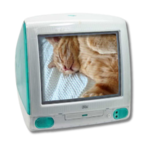
Here's my childhood laptop which I used around 2007-2009 to browse YouTube and old forums.It still works!
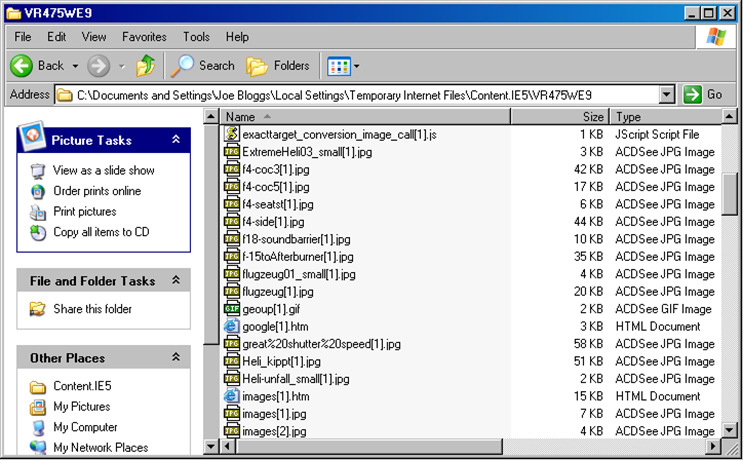
I recognize so many things from that desktop, I believe this laptop has the potential to be a time capsule. Have you checked on the internet cache, seen if there's anything that hasn't been documented or archived?
Feel free to PM me for any inquiries or any questions, I'll try to reply in due time.
Here's my childhood laptop which I used around 2007-2009 to browse YouTube and old forums.It still works!
I recognize so many things from that desktop, I believe this laptop has the potential to be a time capsule. Have you checked on the internet cache, seen if there's anything that hasn't been documented or archived?
Yeah I remember checking the search history way back and I think there was and old forum thread from jeuxvideo.com but I should check again sometime.
Here's my childhood laptop which I used around 2007-2009 to browse YouTube and old forums.It still works!
LE SIMS 2????? OH MY GOD DUDE UR HELLA LUCKY ,i lowkey wanna get the sims 2 pc version the only sims discs i own are ps2 le sims 1 and the sims 3 pc cd rom
Here's my childhood laptop which I used around 2007-2009 to browse YouTube and old forums.It still works!
I recognize so many things from that desktop, I believe this laptop has the potential to be a time capsule. Have you checked on the internet cache, seen if there's anything that hasn't been documented or archived?
Yeah I remember checking the search history way back and I think there was and old forum thread from jeuxvideo.com but I should check again sometime.
Log in to the Windows Vista system using an account with access to the user profile.
Open Internet Explorer.
Click Tools.
Select Internet Options.
Under the General tab, locate the Browsing history section.
Click Settings.
Click View files to open the IE cache folder.
Review cached files such as HTML pages, images, and scripts.
Sort files by Date Modified to identify recently cached pages.




 Currently busy with Computer Engineering studies